
Mặc định sau khi cài đặt Proxmox VE, bạn sẽ phải đăng ký gói thuê bao subscription trả phí thì mới có thể cập nhật hệ thống lên phiên bản mới. Khi truy cập vào mục Updates → Repositories, bạn sẽ thấy thông báo “The enterprise repository is enabled, but there is no active subscription!” và không thể cập nhật hệ thống.
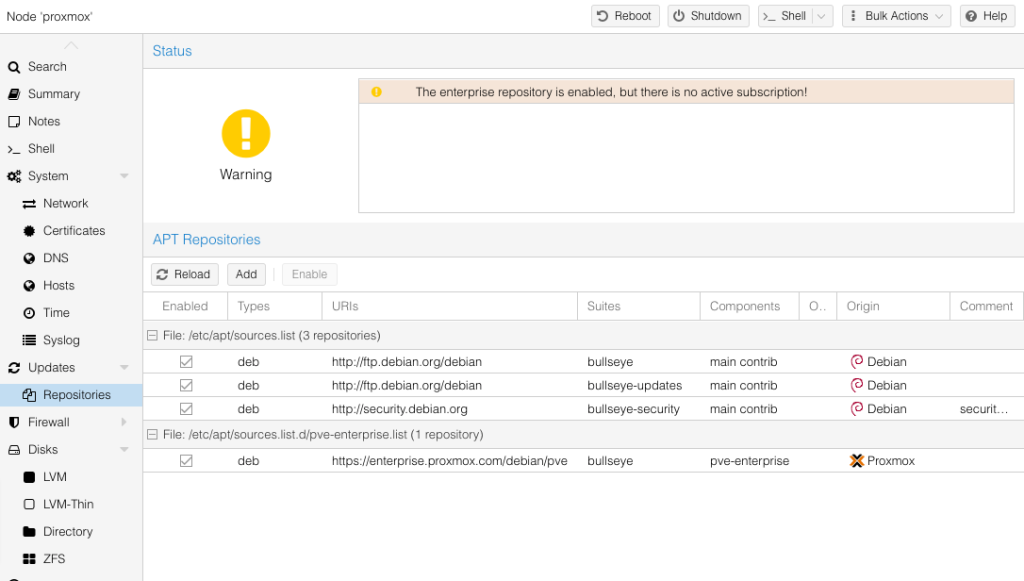
Tuy nhiên, chúng ta có thể sử dụng kho ứng dụng miễn phí No-Subscription Repo để cập nhật Proxmox VE mà không cần phải tốn tiền đăng ký gói thuê bao của Proxmox.
Dưới đây là hướng dẫn cách cập nhật Proxmox VE 6 sử dụng No-Subscription Repo
******* Lưu ý: phải update từng bước theo thứ tự phiên bản bạn đang dùng
I. Update Proxmox VE 6.0 đến 6.4
Truy cập Proxmox VE bằng SSH
ssh username@ip
Cập nhật file sourcelist: nano /etc/apt/sources.list và thêm giá trị
#deb http://ftp.debian.org/debian buster main contrib

#deb http://ftp.debian.org/debian buster-updates main contrib

#deb http://download.proxmox.com/debian/pve buster pve-no-subscription

Hết vòng đời nên không hỗ trợ => chuyển sang thư viện mới

deb http://archive.debian.org/debian buster main contrib

deb http://archive.debian.org/debian buster-updates main contrib

deb http://download.proxmox.com/debian/pve buster pve-no-subscription

# security updates

#deb http://security.debian.org buster/updates main contrib

deb http://archive.debian.org/debian-security buster/updates main contrib
Cập nhật file pve-enterprise.list: nano /etc/apt/sources.list.d/pve-enterprise.list
#deb https://enterprise.proxmox.com/debian/pve buster pve-enterprise
Cập nhật file ceph.list: nano /etc/apt/sources.list.d/ceph.list
deb http://download.proxmox.com/debian/ceph-nautilus buster main
Update và khởi động lại Proxmox VE
apt update && apt full-upgrade -y

reboot
II. Update Proxmox VE 6.4 đến 7
Dừng và tắt toàn bộ VM đang chạy
Truy cập Proxmox VE bằng SSH
ssh username@ip
Update toàn bộ repo từ Buster lên Bullseye
Cập nhật file sourcelist: nano /etc/apt/sources.list và thêm giá trị
deb http://ftp.debian.org/debian bullseye main contrib

deb http://ftp.debian.org/debian bullseye-updates main contrib

# PVE pve-no-subscription repository provided by proxmox.com,
# NOT recommended for production use

deb http://download.proxmox.com/debian bullseye pve-no-subscription

# security updates
deb http://security.debian.org/debian-security bullseye-security main contrib
Cập nhật file pve-enterprise.list: nano /etc/apt/sources.list.d/pve-enterprise.list
#deb https://enterprise.proxmox.com/debian/pve buster pve-enterprise
Cập nhật file ceph.list: nano /etc/apt/sources.list.d/ceph.list
deb http://download.proxmox.com/debian/ceph-pacific bullseye main
Update và khởi động lại Proxmox VE
apt update && apt full-upgrade -y

reboot
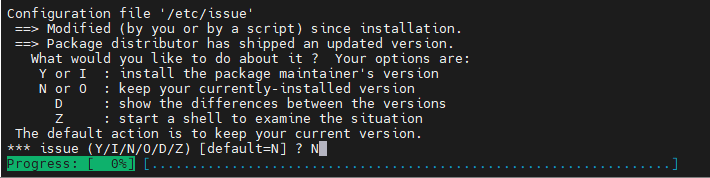
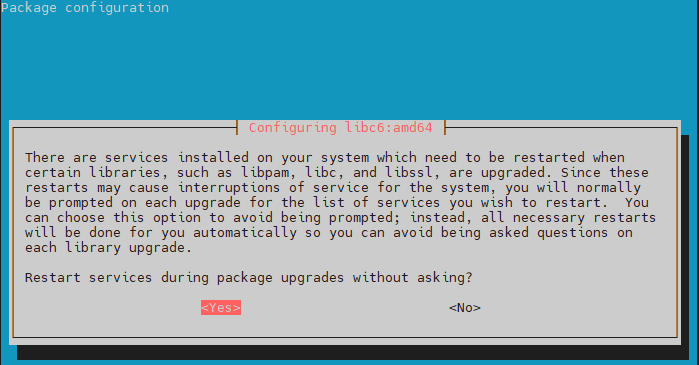
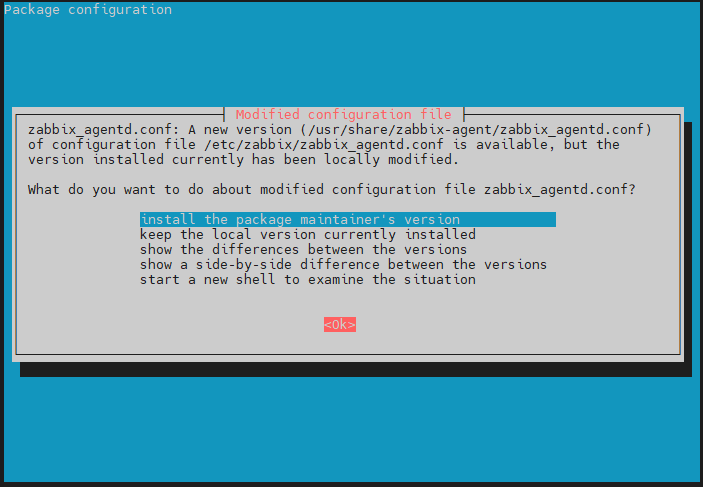
III. Update Proxmox VE 7
1. Thêm No-Subscription Repo
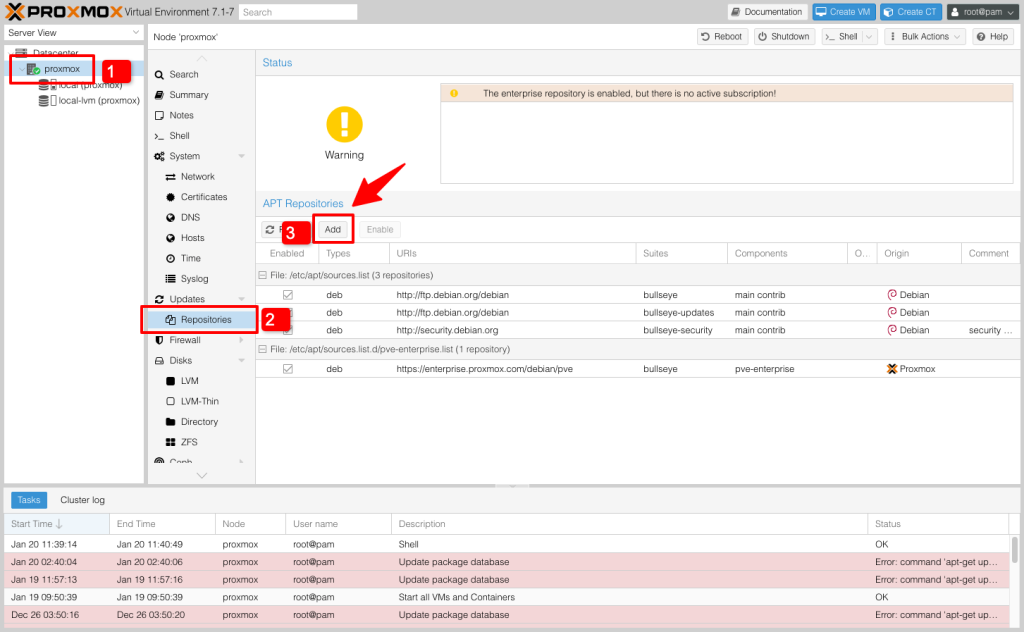
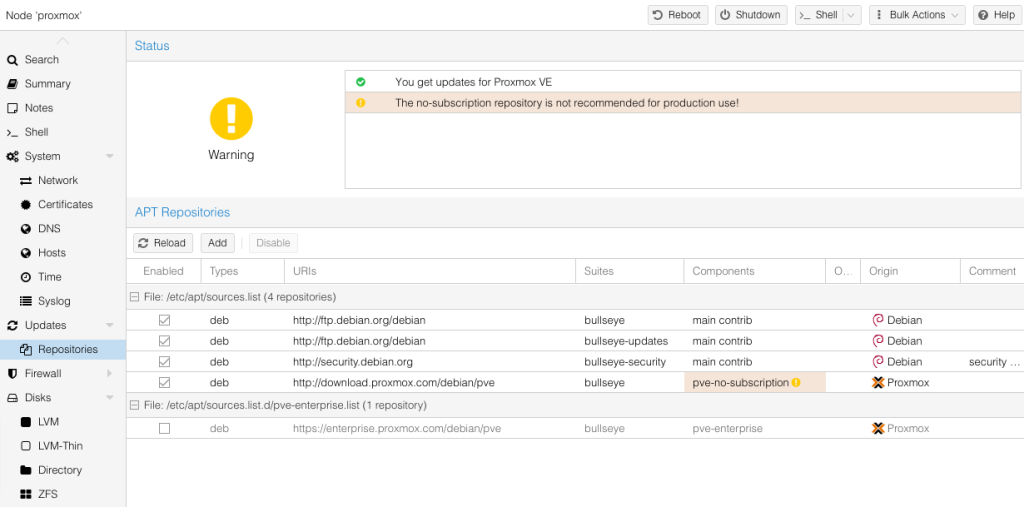
Đăng nhập vào Proxmox VE và truy cập đến mục Updates → Repositories, bấm nút Add
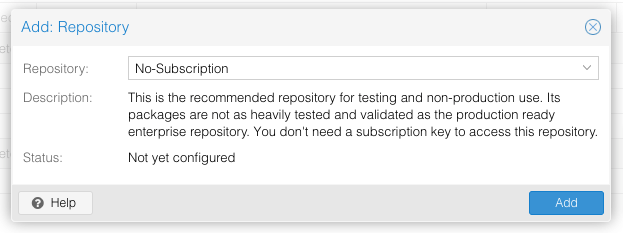
Chọn No-Subscription trong mục Repository và bấm Add để thêm vào danh sách APT Repositories của Proxmox
2. Tắt Enterprise Repo
Tiếp theo, chọn dòng pve-enterprise list và bấm “Disable” để vô hiệu hoá nó.
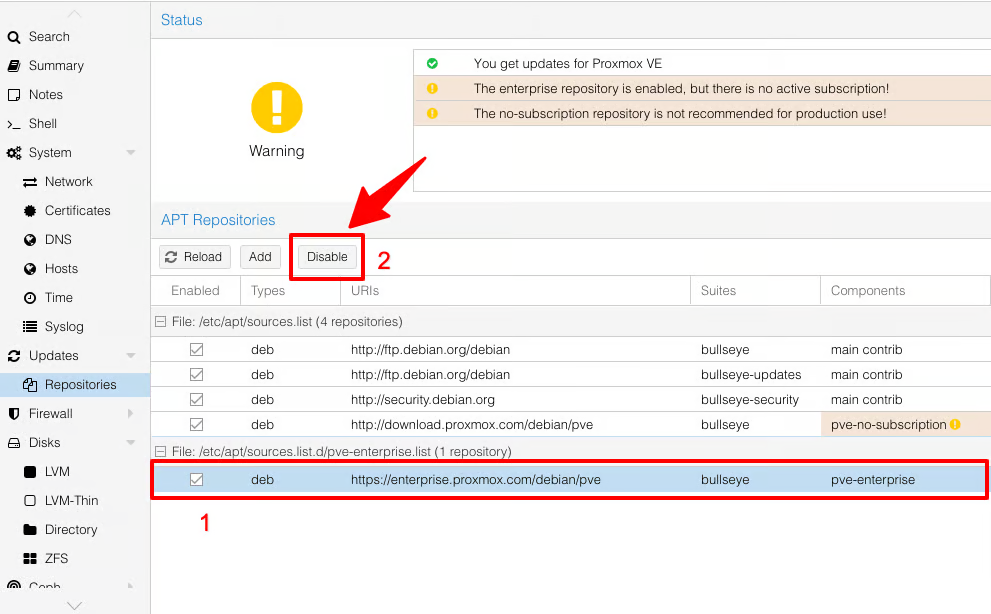
Proxmox VE giờ đã được kích hoạt sử dụng kho ứng dụng No-Subscription repo và sẵn sàng để được cập nhật. Proxmox sẽ hiện ra thông báo “The no-subscription repository is not recommended for production use!“, nghĩa là không nên dùng cho repo này cho công việc, kinh doanh
3. Cập nhật hệ thống
Truy cập vào mục Updates, bấm Refresh để kiểm tra các bản cập nhật hiện có.
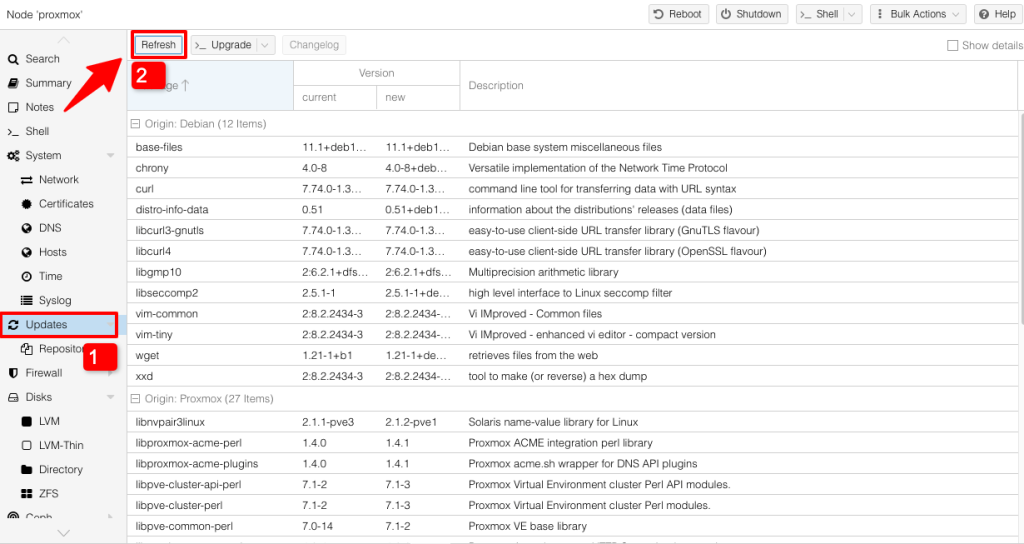
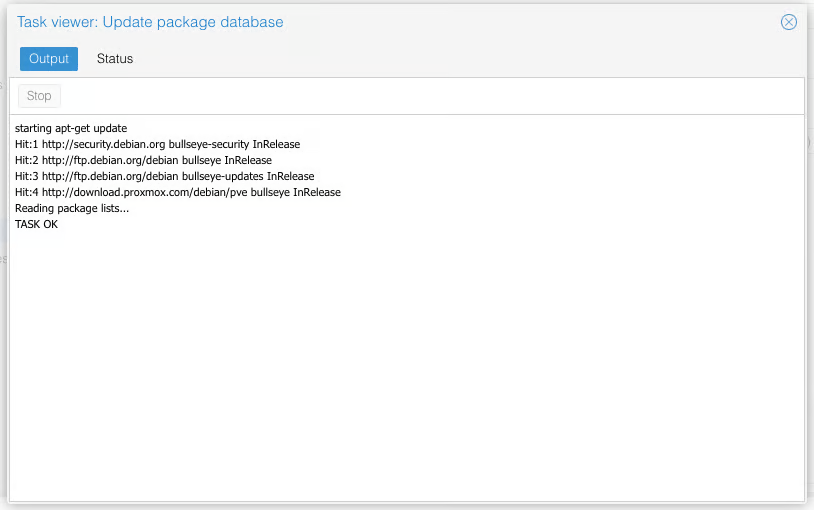
Proxmox vẫn sẽ hiện ra bảng thông báo “No valid subscription”, nhưng không sao, bấm OK bỏ qua là xong. Chờ vài phút cho nó kiểm tra, khi nào hiện ra thông báo TASK OK, bấm dấu X để tắt.
Sau đó bấm vào nút Upgrade. Một cửa sổ pop-up sẽ hiện ra, bạn nhập Y và Enter để xác nhận cập nhật là xong.
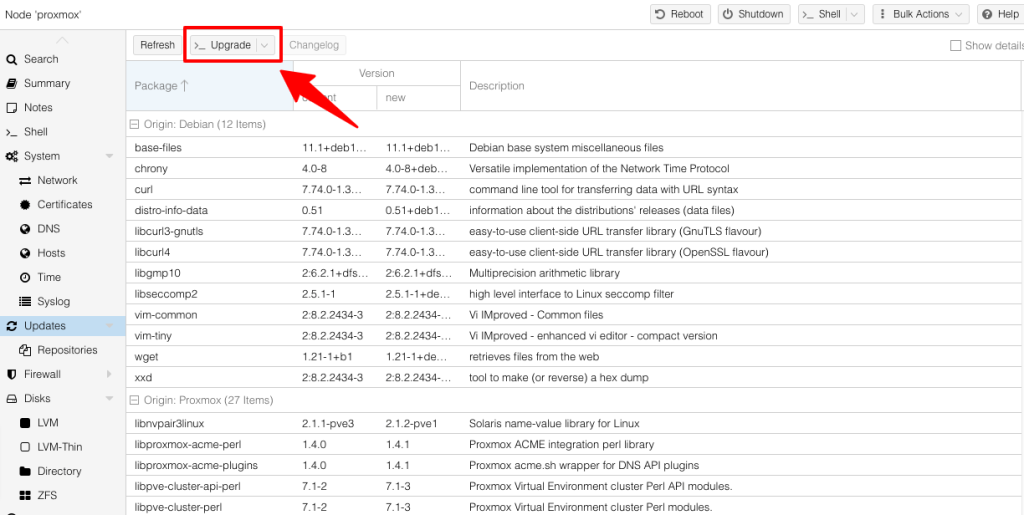
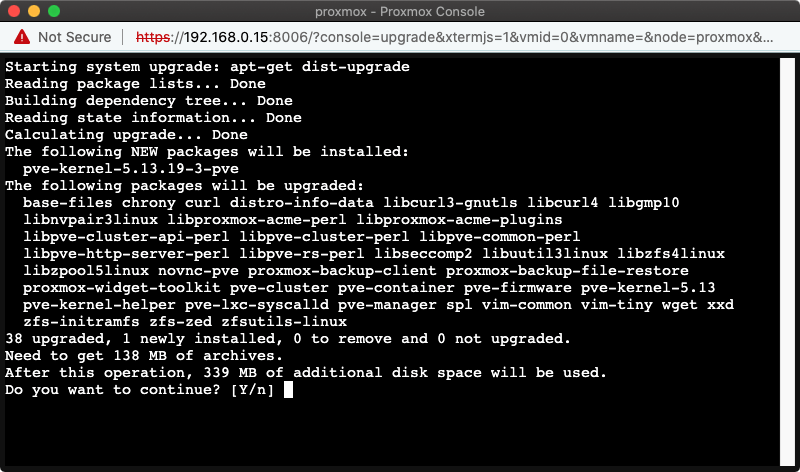
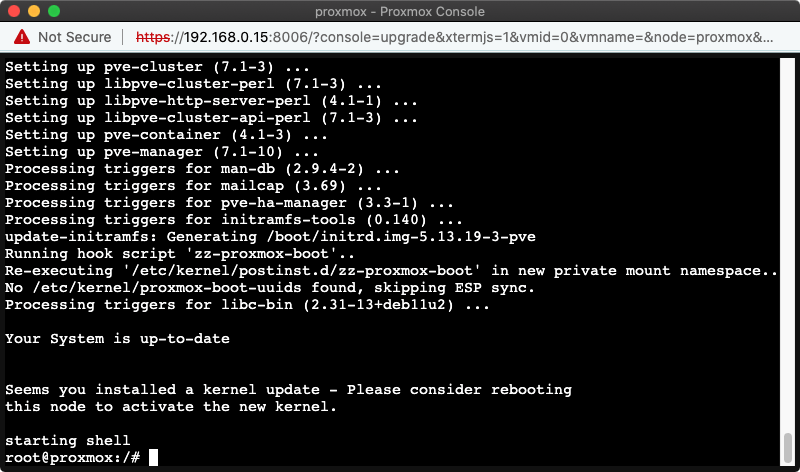
Sau khi cập nhật xong, bạn sẽ thấy thông báo “Your system is up-to-date”, Proxmox đã được cập nhật lên phiên bản mới nhất.
IV. Update Proxmox VE 7 đến Proxmox VE 8
Dừng và tắt toàn bộ VM đang chạy
Truy cập Proxmox VE bằng SSH
ssh username@ip
Kiểm tra phiên bản Promxox hiện tại bằng lệnh
apt update && apt full-upgrade -y

pveversion -v
Kết quả trả về phải hiển thị version 7.4-12 trở lên mới có thể update
Update toàn bộ repo từ Bullseye lên bookworm
Cập nhật file sourcelist: nano /etc/apt/sources.list và thêm giá trị
deb http://ftp.debian.org/debian bookworm main contrib

deb http://ftp.debian.org/debian bookworm-updates main contrib

deb http://download.proxmox.com/debian bookworm pve-no-subscription

# security updates

deb http://security.debian.org/debian-security bookworm-security main contrib
Cập nhật file pve-enterprise.list: nano /etc/apt/sources.list.d/pve-enterprise.list
#deb https://enterprise.proxmox.com/debian/pve bookworm pve-enterprise
Cập nhật file ceph.list: nano /etc/apt/sources.list.d/ceph.list
deb http://download.proxmox.com/debian/ceph-quincy bookworm main
Update và khởi động lại Proxmox VE
apt update && apt full-upgrade -y

reboot
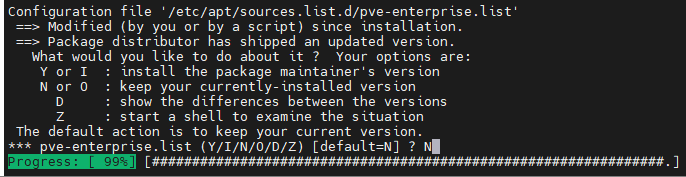
V. Update Proxmox VE 8 đến Proxmox VE 9
Dừng và tắt toàn bộ VM đang chạy
Truy cập Proxmox VE bằng SSH
ssh username@ip
Kiểm tra phiên bản Promxox hiện tại bằng lệnh
apt update && apt full-upgrade -y

pveversion -v
Kết quả trả về phải hiển thị version 8.4.1 trở lên mới có thể update
Update toàn bộ repo từ bookworm lên trixie
Cập nhật file sourcelist: nano /etc/apt/sources.list và thêm giá trị
deb http://ftp.debian.org/debian trixie main contrib

deb http://ftp.debian.org/debian trixie-updates main contrib

deb http://download.proxmox.com/debian/pve trixie pve-no-subscription

# security updates

deb http://security.debian.org/debian-security trixie-security main contrib
Cập nhật file pve-enterprise.list: nano /etc/apt/sources.list.d/pve-enterprise.list
#deb https://enterprise.proxmox.com/debian/pve trixie pve-enterprise
Cập nhật file ceph.list: nano /etc/apt/sources.list.d/ceph.list
deb http://download.proxmox.com/debian/ceph-squid trixie test
Update và khởi động lại Proxmox VE
apt update && apt full-upgrade -y

reboot
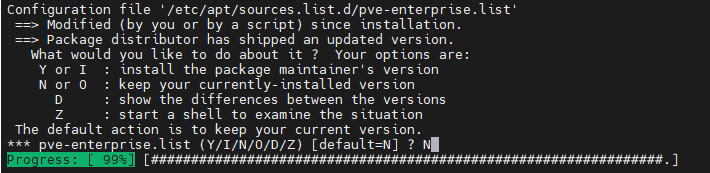
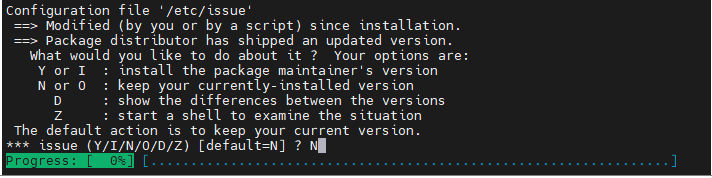
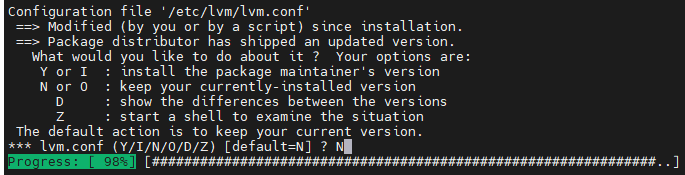
Nếu gặp lỗi này, chạy lại lệnh theo hướng dẫn
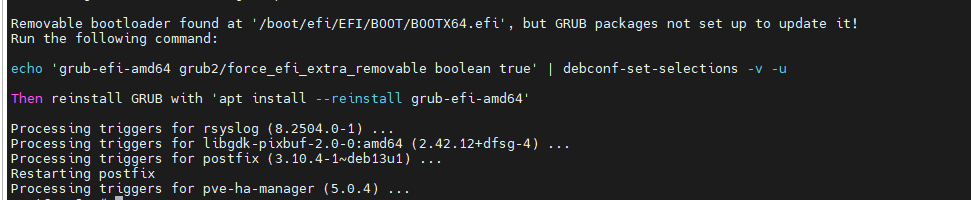
echo 'grub-efi-amd64 grub2/force_efi_extra_removable boolean true' | debconf-set-selections -v -u

apt install --reinstall grub-efi-amd64 -y

Chạy update lại GRUB:

update-grub

reboot
Update lại thư viện
Xoá các mục liên quan đến enterprise
rm -f /etc/apt/sources.list.d/pve-enterprise.list*

sed -i '/enterprise\.proxmox\.com/d' /etc/apt/sources.list
Đặt lại file sources.list
cat >/etc/apt/sources.list <<'EOF'

deb http://ftp.debian.org/debian trixie main contrib non-free non-free-firmware

deb http://ftp.debian.org/debian trixie-updates main contrib non-free non-free-firmware

deb http://security.debian.org/debian-security trixie-security main contrib non-free non-free-firmware

EOF
Tạo Repo Proxmox VE 9 (no-subscription)
cat >/etc/apt/sources.list.d/pve-no-sub.list <<'EOF'

deb http://download.proxmox.com/debian/pve trixie pve-no-subscription

EOF
Kiểm tra mục Ceph
Xoá file nếu KHÔNG dùng Ceph :

rm -f /etc/apt/sources.list.d/ceph.list

Dùng 1 trong 2 địa chỉ bên dưới

cat >/etc/apt/sources.list.d/ceph.list <<'EOF'

deb http://download.proxmox.com/debian/ceph-quincy bookworm no-subscription

(deb http://download.proxmox.com/debian/ceph-squid bookworm no-subscription)

EOF
Dọn cache & update
apt clean

rm -rf /var/lib/apt/lists/*

apt update && apt full-upgrade -y
Check lại gói enterprise, nếu còn thì xoá
rgrep -n "enterprise.proxmox.com" /etc/apt
Chúc bạn thực hiện thành công.
Nguồn : Tổng hợp nhiều nguồn